UI/UX Engineering at Scale: Building Hytale's Player-Facing UI
05 May 2024
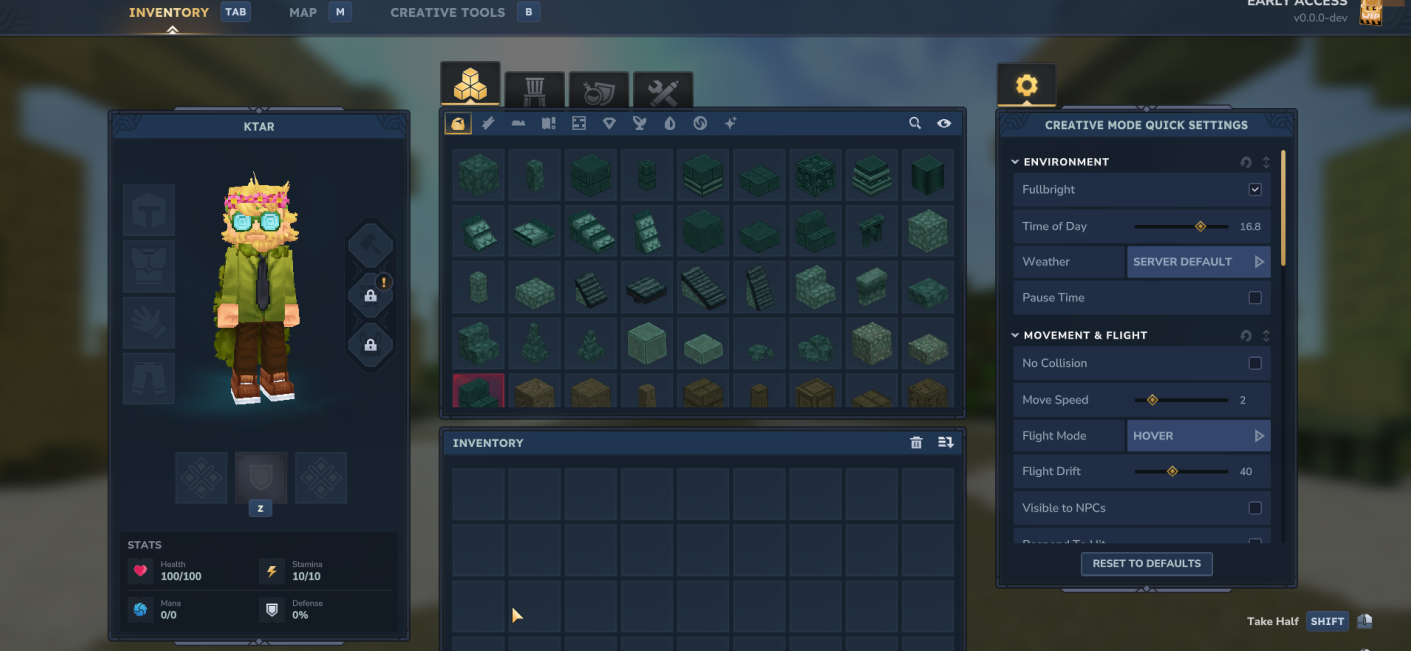
At Hypixel Studios, I’ve spent years as one of two engineers responsible for Hytale’s core UI systems by building and maintaining the frameworks that power everything from the main menu to the inventory screen to the in-game creative tools.
Two Frameworks, One Game
Most games ship with one UI framework. Hytale has had two, and I’ve worked in both for years.
The first is a custom C#-based UI framework built in-house with its own element types, layout engine, and data binding model. I’m one of two engineers who maintained it. Over the course of my time on the project I’ve created dozens of pages of UI in it: new component types, layout patterns, interactive behaviors, and the kind of deeply stateful screens that a game like Hytale demands.
The second is XAML, running in both C# and C++ contexts. If you’ve built WPF or UWP applications or crossplatform games you know XAML’s strengths of clean separation of structure and behavior, rich data binding, and advanced tooling support with Microsoft Blend or Noesis Studio software tools.
A complex, modular, multi-panel UI: The Inventory Screen
If there’s one piece of work I’d point to as the hardest UI problem I’ve solved at Hytale, it’s the inventory.
On paper, an inventory screen sounds simple. In practice, it’s one of the most information-dense, interaction-heavy surfaces in the game. You’re managing elements across multiple panels and sub-menus, handling drag and drop, and trying to cram in lots of dynamic interchangeable elements onto the page. I had to deal with data virtualization to perform lag-free scrolling across thousands of menu items, and create my own search algorithms to intelligently present the correct search results to users searching through the game’s blocks.
Getting this right required collaborating with multiple teams, fielding input and repeatedly iterating on the design and functionality to reach the final result that was shipped to millions of players.
How I designed UI that reduced asset dev time by 75%: The Node Editor
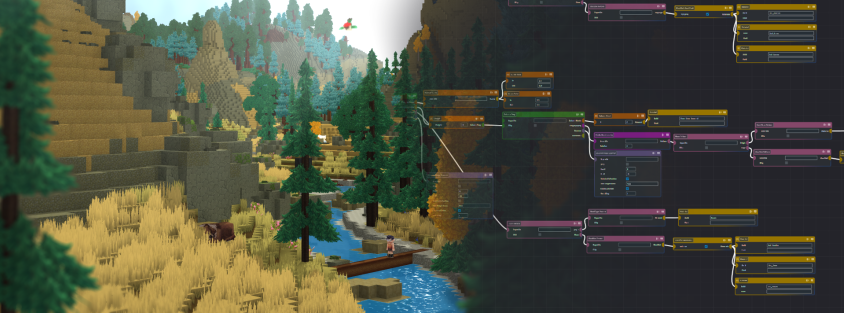
Alongside the in-game work, I built an entirely separate standalone tool from scratch: a cross-platform visual node editor in C++ for creating and editing dozens of types of assets.
Node editors are everywhere now! You’ve seen them in Blender, Unreal’s Blueprint system, shader editors. I’ve built multiple of them, and learned some things. Building one that’s actually good is hard. The graph needs to be legible at a glance, connections need to be easy to create and modify, you need to be able to adapt as the schema of the backend data constantly changes, and you have to implement additional tools to make editing graphs with thousands of nodes possible and not frustrating.
The result reduced asset design time by 75%. Before I designed, engineered, and implemented the Node Editor, our internal and external creators were developing assets by hand in JSON, manually writing configuration files that could be thousands of lines long. This was creating huge bottlenecks where the files grew too large to manage. Now, with my tool, Designers were now composing assets visually, iterating faster, and catching errors earlier. What assets previously took a week to develop were now created in a day.
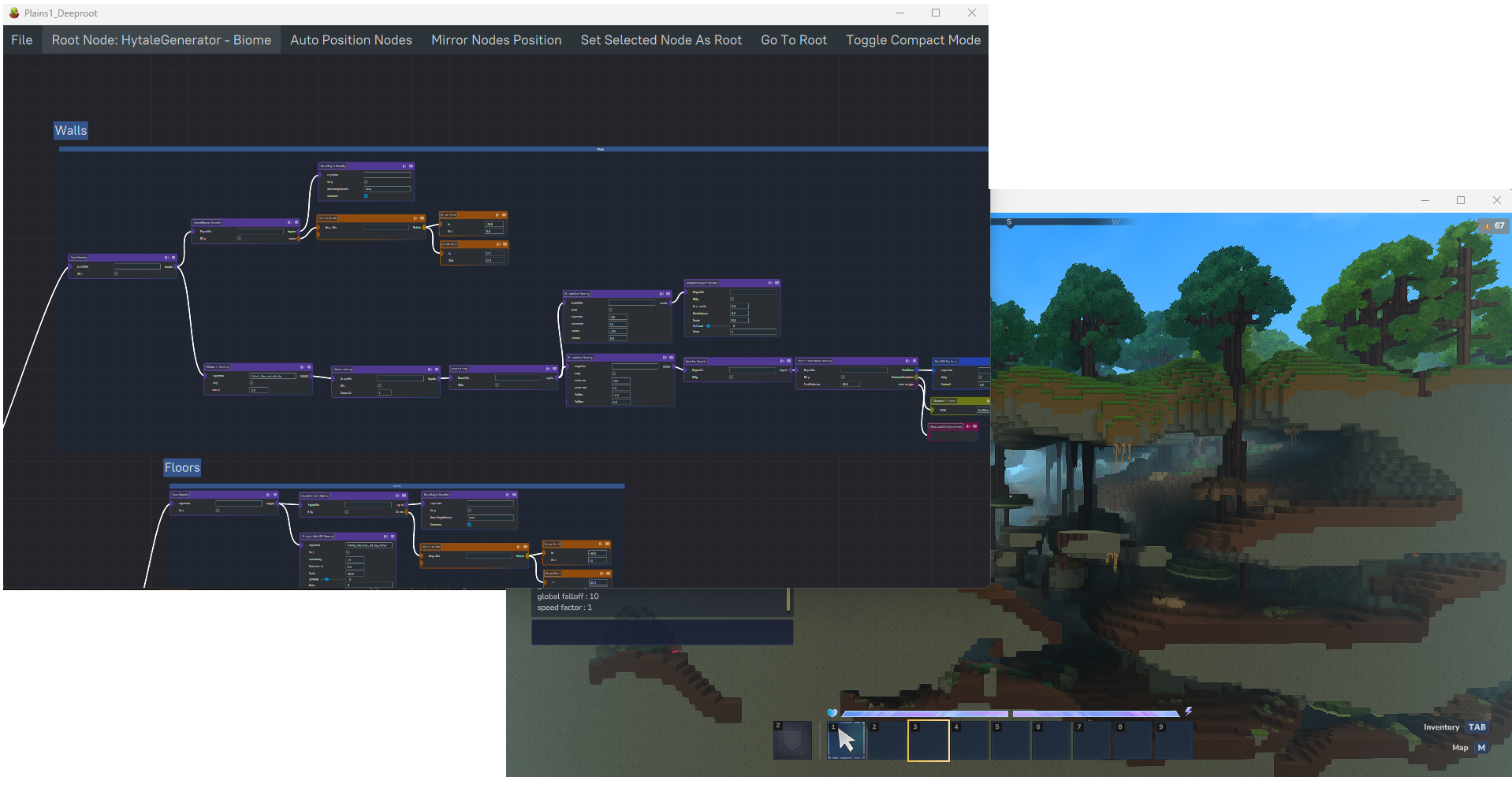
Years of Work, More Than I Can Show
The work I’m most proud of isn’t any single screen — it’s the sheer breadth of it. Dozens of panels, tools, and systems built and shipped over years, each one collaboratively designed, iterated on, and refined until it felt invisible to the player. There’s genuinely too much to capture here.